 Chamber Culture
Chamber Culture
Chamber Culture
ChamberMaster is GrowthZone's chamber product — proven, feature-rich, and around since 1998. Chamber Culture CRM is the modern, AI-native alternative: published pricing from $150/mo (no "request a quote"), fast human support, a genuinely modern interface, and a premium member website plus workplace-culture surveys ChamberMaster doesn't offer — at a fraction of the cost.
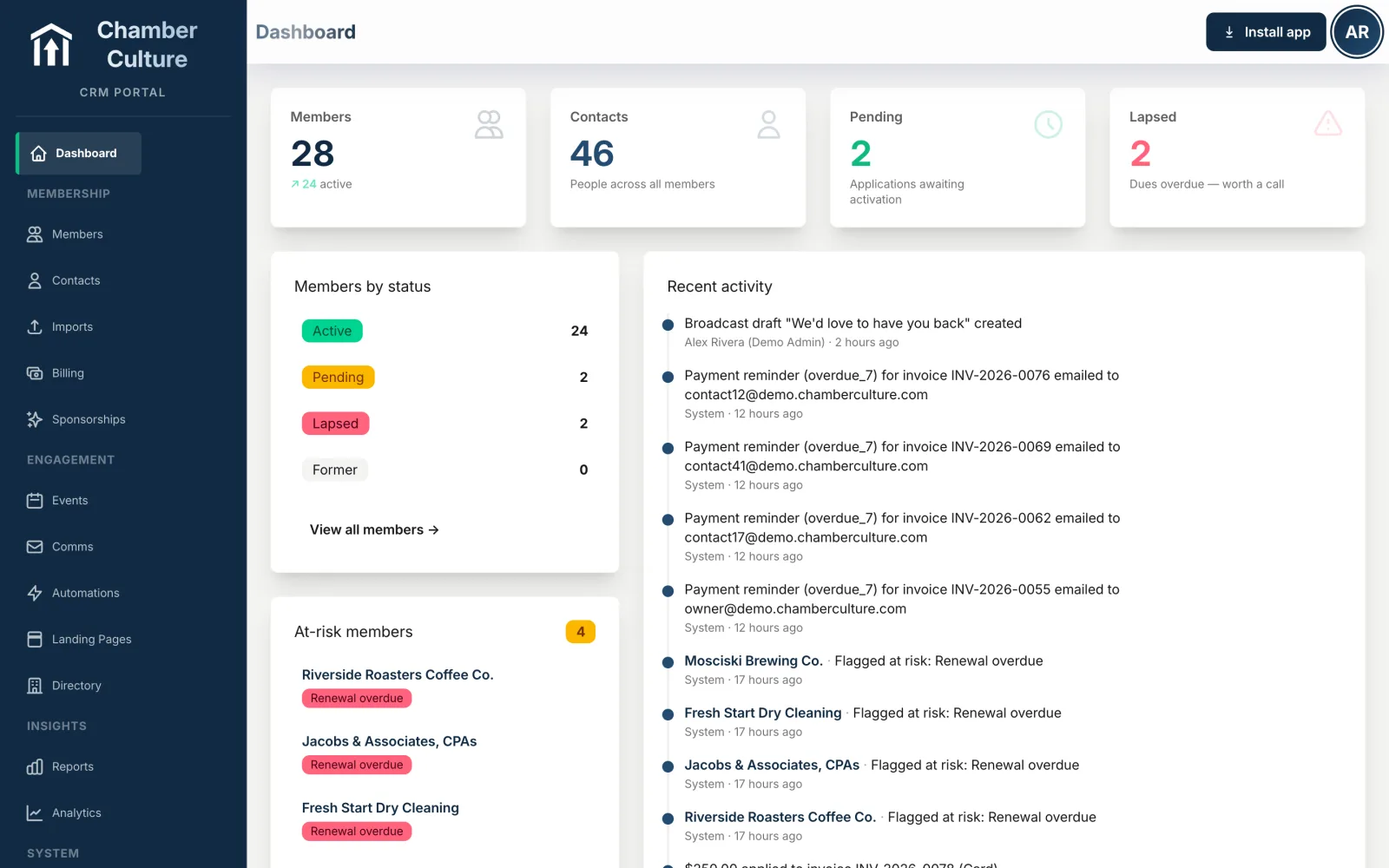
This is the app your staff actually enjoys — modern, fast, and AI-native. No "feels-like-2005."
If you want an all-in-one incumbent with the widest feature set and a native mobile app, GrowthZone and ChamberMaster are proven and well-liked. If you want published pricing, fast support, a modern interface, and AI included — at a fraction of the cost — choose Chamber Culture CRM.
The same category, two different eras. Here's where ChamberMaster and Chamber Culture CRM stand on the things chambers actually weigh.
| What matters | ChamberMaster | Chamber Culture CRM |
|---|---|---|
| Member directory pages | A listing on the vendor’s domain | A full page on YOUR domain — gallery, video, hours, structured data |
| Pricing | Quote-gated, ~$3,900/yr floor, à-la-carte upcharges | Published $150–$500/mo |
| Support | Ticket waits of weeks, sometimes months — their most-cited complaint | Fast human support as a written promise |
| Interface | Dated interface, more clicks per task | Modern, fast, low-click — built this year |
| Directory lead-gen | Contact-members email blast, untracked | Tracked leads land in each member's portal, plus chamber-wide ROI reporting |
| Reporting | Rigid, hard to customize | Plain-English AI reporting |
| AI | Newsletter drafting only, added late | AI-native — drafting, reporting & at-risk alerts built in |
| Events | Registration & ticketing | + QR check-in loop (poster → phone → ticket → camera) |
| Payments | GrowthZone Pay, their processing at their rate | Bring your own gateway: Stripe, PayPal, Authorize.Net, Elavon, and for the Philippines Maya and PayMongo. Your rate, no markup, stored cards on Stripe, PayPal, Authorize.Net and Elavon |
| Outside the United States | GrowthZone Pay only in the US, Canada, Ireland, the UK and Australia; five currencies (USD, CAD, EUR, GBP, AUD) | 23 currencies including the Philippine peso, per-chamber timezone throughout, six gateways including Maya and PayMongo, a chamber website on its own domain |
| Online join | Add-on or higher tiers, more setup | Included: members join and pay first dues online on your own Stripe, auto-activated |
| Contracts | Annual | Month-to-month, export everything, no lock-in |
| QuickBooks | Two-way sync | Two-way QuickBooks Online sync, per-line Class tagging and free export |
| Mobile | Native staff + member apps | Fully responsive web app todayNative mobile app on the early-access roadmap |
| Accessibility | Accessibility goal statement only (updated March 2020, targets WCAG 2.1 AA); no published VPAT / conformance report | WCAG 2.2 AA, published VPAT 2.5 conformance report |
| If the vendor fails | Not published | Contractual: 90 days notice, a free complete database dump with documented schema, and your rate survives an acquisition |
| Security and access | Not published | Team roles, login history with sign out everywhere, and an audit log you can filter and export to CSV |
| Currency and locale | Not published | 23 currencies, with per-chamber locale and time zone |
GrowthZone and ChamberMaster are trademarks of their respective owner (Lead Edge Capital). Chamber Culture CRM is not affiliated with, endorsed by, or sponsored by GrowthZone or ChamberMaster. Comparison reflects publicly reported information and is provided for evaluation purposes.
Competitor details are taken from their public pages as of September 2026. Tell us if something has changed and we will correct it.
Outside the United States figures are sourced from GrowthZone's own help centre, helpdesk.chambermaster.com, articles “GrowthZone Pay FAQ” and “Settings for International Users.”
We won't oversell it. Here's the honest read on who's ahead, and where.
Feature grids blur together. These are the five places chamber software usually disappoints a board, so they are the ones worth asking about by name. Here are our answers.
Yes. Connect Stripe, PayPal, Authorize.Net, Elavon, and for the Philippines Maya and PayMongo with your own credentials and your own rates. The money goes to your account, not through ours, and you are not locked into a processor because it came bundled with the software.
Yes, when you switch guest checkout on. A visitor registers and pays at the non-member rate without creating a login, and the chamber still gets a clean record and an invoice. Every invoice can also be paid from a link with no login at all.
Registrations, ticket types, guest pricing and QR check-in are one loop, so the list you sold from is the list you check in against. See how events work →
Ours answers. A public AI concierge sits on the chamber's own website, reads the live directory, events and deals, and hands the visitor a real member business. It also reports back what your community asked for and you did not have. See it working →
On the chamber's own domain, crawlable, with photos, hours, socials, offers and a contact form, not stranded on a software vendor's subdomain. Every click on an address, phone or website is counted for that member. See a member page →
What people actually did: calendar adds, registrations, directions, deal claims, job applications and AI referrals, per member. Not a page-view total.

You need the broadest legacy feature set and native mobile apps today, your staff is already fluent in it, and quote-based annual pricing is acceptable to your board. A chamber that just renewed its contract and has no complaints about support or the interface has little reason to move mid-term.
You want transparency, fast support, a modern AI-native experience, and to pay a fraction of the price.
The honest starting point: ChamberMaster does not publish its pricing. GrowthZone, which owns it, gates the number behind a demo request, so every figure in circulation comes from chambers reporting what they were quoted rather than from a price list. What chambers commonly report is roughly $5,000 to $10,000 or more a year depending on chamber size, with setup fees and per-module upcharges on top.
Chamber Culture CRM is published, flat, and by chamber size:
Month to month, no quote request, and the member website is included rather than sold as a module. The thing worth comparing is not only the number but what has to be added to reach it: an unpublished price that grows with each module is a different purchase from a published one that does not.
Two questions worth asking whoever you are shortlisting, including us: what is the total in year one including setup, and what does it cost to leave with your data. See our published pricing →
The pricing model is different, not just the number. ChamberMaster is sold the way most legacy AMS platforms are: an annual contract, quoted per chamber after a sales call, commonly reported in the $5,000 to $10,000+ a year range depending on size, with setup and à-la-carte upcharges on top. Chamber Culture CRM is a published, size-based monthly tier ($150/mo under 500 members, $300/mo for 500 to 2,000, $500/mo for 2,000 to 10,000) billed month-to-month, so there's no annual lock-in and no quote call required to find out the number. Neither model is a scam; they're built for different sales processes. Judge your chamber by the actual number, not the model.
What a migration actually moves. Chamber Culture CRM's guided migration recovers, and lets you preview before committing, each of: members, contacts and reps, events, news posts, job postings, hot deals, categories, groups and committees, sponsors, and content pages. Ask any vendor, ours included, for the exact list of record types their migration recovers before you sign, because "we migrate your data" can mean very different things.
The steps, in order. Upload or connect your existing data, map your fields to Chamber Culture's record types, review a dry-run preview of exactly what will be created before anything goes live, then commit. If something in the preview looks wrong, roll it back and remap rather than starting over. That preview-before-commit step is the one legacy migrations most often skip, which is why data usually only gets checked after it's already live.
Member database, dues billing and event registration, and what a modern platform does differently.
ChamberMaster combines three things chambers otherwise run separately: a member database holding every business record and contact, dues billing that raises renewal invoices on a schedule and takes payment online, and event registration with ticketing and check-in. Keeping them in one platform is the point, because a member who renews, attends an event and updates their directory listing should not exist as three unconnected records. Chamber Culture CRM does the same three jobs and adds what a 1998-era platform did not plan for: published pricing instead of a quote request, AI woven through the directory and member insights, a premium member website, and billing that works outside the United States with 23 currencies and bank transfer as a first-class payment method.
Chamber Culture CRM is the modern ChamberMaster alternative built specifically for chambers of commerce. ChamberMaster (a GrowthZone product, first released in 1998) is a proven, feature-rich incumbent — but it's quote-gated, has a dated interface, and adds AI late. Chamber Culture CRM competes on transparent published pricing, fast human support, a modern interface, AI woven in from day one, and a premium member website and employee-culture surveys ChamberMaster doesn't offer.
ChamberMaster pricing isn't published — GrowthZone gates it behind a demo request, and real-world chamber spend is commonly reported at roughly $5,000–$10,000+ per year plus setup and upcharges. Chamber Culture CRM publishes its pricing: $150/mo (under 500 members), $300/mo (500–2,000), $500/mo (2,000–10,000). No "request a quote," month-to-month. See pricing →
They're the same company: ChamberMaster is GrowthZone's chamber-of-commerce product, and GrowthZone is the parent brand's association-management platform — chambers are usually steered to ChamberMaster. Chamber Culture CRM is a modern, independent, chamber-first alternative to both.
Yes. Chamber Culture CRM includes guided migration from ChamberMaster with AI-assisted field mapping, a dry-run preview, and one-click rollback, so switching doesn't mean starting over. You can export everything at any time — month-to-month, no lock-in.
Yes, and more. It includes a fast, searchable member directory synced live with your data, plus a premium member website (Chamber Culture Sites) that goes well beyond ChamberMaster's template CMS. Chamber Culture also offers employee-engagement surveys and a Best Workplace certification — which ChamberMaster doesn't have at all.
Yes. ChamberMaster's contact-members tool fires an email blast that isn't tracked once it leaves the system. Chamber Culture CRM's Contact Members lets a prospect message a whole category or a hand-picked list of businesses, and every lead lands in each targeted member's portal, marked viewed and responded, with chamber-wide reporting on how many leads the directory drove.
Partly. GrowthZone's own help centre lists GrowthZone Pay as available to legal entities in the United States, Canada, Ireland, the United Kingdom and Australia, and ChamberMaster's currency setting offers the US, Canadian and Australian dollars, the euro and the pound. A chamber in the Philippines, Singapore, India, Mexico or most of Europe outside Ireland cannot bill in its own currency or collect through a local processor. Chamber Culture CRM runs 23 currencies, a per-chamber timezone throughout the app, and six payment gateways including Maya Business and PayMongo for the Philippines, with the chamber's website on its own domain on every plan.
Published pricing, fast support, and AI included — at a fraction of what legacy AMS costs.
Get started →Reviewed August 2026.